

Set up each table before guests arrive
For 30 guests, one possible arrangement is six tables of five. Give each table a name and one answer sheet. Collect answers at the same time; the host records table totals separately from any browser score. Announce whether tied teams share a prize or play one extra question.
Game options to consider
Purse Raid
Read the items while guests check their own bags or pockets. Agree on scoring first and do not ask anyone to display private belongings.
▶ Play it free →Ring Hunt
Explain the forbidden word and ring-transfer rule before starting. Keep participation optional and announce when the round ends.
▶ Play it free →Bridal Shower Bingo
Use browser Bingo for a call-out round or gift opening. Test the room and guest cards first, and agree how to handle simultaneous winners.
▶ Play it free →He Said / She Said
The browser game uses fictional sample answers. For a round about your own couple, collect their answers separately and keep your own score.
▶ Play it free →Bridal Trivia
Play multiple-choice wedding questions on a shared screen. The browser scores the selected answers; keep separate totals for guests or teams.
▶ Play it free →Wedding Word Scramble
Unscramble wedding words in a short puzzle round. Guests can play individually or write their answers from a shared display.
▶ Play it free →Wedding Emoji Pictionary
Guess the wedding phrase shown by the emoji. Collect answers before revealing so an early guess does not spoil the puzzle.
▶ Play it free →Find the Guest
Match prompts with willing guests and record their names. Explain whether a name may be used more than once, and allow seated guests to take part.
▶ Play it free →Plan around teams and sightlines rather than headcount alone
A game for a large shower needs a way for many people to participate at once. Twenty guests waiting for individual turns can take longer than forty guests answering at tables. Start with the room: where people will sit, what they can hear, and whether they can see a shared screen. Then choose the number of teams the host can reasonably manage. The browser's availability does not by itself guarantee that a particular crowd size will be easy to host.
Table teams are often a practical starting point because guests can discuss one answer together and send one response to the host. Keep the labels clear and avoid requiring everyone to move seats just to create perfectly balanced groups. If you do rearrange teams, explain the purpose and leave accessible seating in place. A good large-group format reduces waiting without making guests feel processed through a system. The room should still feel like a celebration where people can talk to one another, not a classroom with a long attendance list.
Choose simultaneous answers for the main round
Trivia, emoji puzzles, and prepared couple questions can all be answered by several tables at the same time. Read a question, give a consistent discussion period, close answers, and reveal the key. This creates a shared rhythm without asking every guest to speak publicly. Keep separate team totals on paper or in a simple host record. In many browser games, the screen score represents only the option selected on that device, not all the different answers written around the room.
Avoid a format where the first table to shout automatically wins unless speed is truly the point and the host can judge it fairly. Sound travels unevenly through a busy room, and the nearest or loudest team may dominate. Written answers revealed together give quieter tables a clear opportunity. If you use a raised-card system, make the cards large enough for the host to read and choose a consistent order for checking them. The method should be obvious before the first scored question appears.
Set up a twenty-guest example without overcomplicating it
For twenty guests, four groups of five is one possible arrangement. Give each group a team-name card, one answer sheet, and enough pens that somebody can write comfortably. A host reads the questions while a helper watches for requests to repeat them. Use a short fixed selection, such as eight prepared questions, so the game has a clear end. The exact number is a hosting choice rather than a special mode in every browser game.
Leave a little space between teams if you want quiet discussion, but do not isolate people so much that they cannot hear the host. Ask each table to choose a volunteer who writes or shows its answer. That role can change without affecting the team score. A guest who prefers to listen can still be part of the group. After the final reveal, tables total their sheets and the helper checks the announced leaders. This keeps the process manageable without requiring the host to collect and mark twenty individual papers during the party.
Use a thirty-guest example with one clear collection method
Six tables of five can work for thirty guests if that matches the venue. Number or name the tables in a way that appears on every answer sheet and host score record. Choose one collection method: tables hold up answers together, a helper collects sheets at the end, or representatives report final totals after self-marking. Do not switch between methods halfway through the round without explaining the change. A consistent routine matters more as the number of tables grows.
Before starting, test the voice and screen from the furthest table. If the option text is difficult to read, read every option aloud and use lettered responses. Keep instructions visible in a short form while guests settle. A helper can bring spare pens and answer sheets without interrupting the host. Avoid making representatives walk across the room after every question; that adds movement and waiting to a format designed for simultaneous participation. Collect the minimum information needed to continue, then allow the social discussion to happen at the tables.
Simplify further for forty guests or more
With a larger room, fewer kinds of interaction are usually easier to manage. Choose one main game, one answer format, and one scorekeeper rather than several short activities that each require new instructions and materials. Table teams can still work, but the host may need amplification or a clearly positioned display depending on the venue. Do not assume guests can hear simply because the host can hear themselves. Ask a helper to check from the back while normal room noise is present.
Keep the reveal procedure deliberate: close answers, announce the correct response, allow marking, then continue. If you cannot see every table clearly, use written sheets and collect them at the end instead of judging distant signals. A second helper can support the opposite side of the room. These are practical staffing choices, not a claim of a tested maximum capacity. If the venue cannot support a shared spoken activity comfortably, use table-based paper games that guests complete at their own pace and make the announcement portion brief.

Choose Bingo with accurate expectations
Browser Bingo can provide cards for a call-out activity or gift opening. Test the host and guest process before the shower, including how people open a card and how they report a completed line. The browser cards are randomly generated; do not promise that every guest's random card is guaranteed different. A large group can encounter overlapping arrangements or simultaneous winners. Announce which pattern counts and how the host will check a claim before play begins.
If you want prepared paper cards, inspect the actual paid Bingo product. The audited file contains a cover and 60 printable bingo cards; it does not include a call sheet. Prepare any caller list or gift-opening instructions separately. Keep that distinction clear when assigning preparation to a cohost. A product title is not a substitute for checking the pages you will print. Whether you use browser or paper cards, choose a simple tie rule and have guests pause after a claim so the host can verify the pattern against the called items.
Make a caller list when your Bingo format needs one
For a call-out round, prepare a list of the terms that can appear on the cards you are using. Check it against those cards rather than assuming a list from another version matches. Mark each called item so you can verify a winning claim later. Read the word clearly, repeat it once if useful, and allow enough time for guests to find it. Do not let a fast caller pace become an accidental test of hearing or visual scanning speed.
For gift-opening Bingo, explain what counts as a match and how broad descriptions will be interpreted. If a card says an item category, the host should use the same interpretation for all guests. Keep a record of qualifying gifts or called words for verification. The browser does not independently watch the gifts or certify that a line is valid. Host checking is part of the game. If several players claim the same winning moment, use the tie rule you announced rather than rewarding only the first voice the host happened to hear.
Use Purse Raid as a multi-award table game
Purse Raid works differently from a one-winner scavenger hunt. The host reads an item with its value and can award points to every qualifying named player or team before moving on. For a large group, enter table names and let each table earn the item points once if any member voluntarily has it. Several identical objects at the same table do not need multiple awards. This keeps the scoring buttons and checking process manageable.
Define the search area as belongings guests already have nearby, such as bags or pockets. Do not ask people to empty bags, show private information, or leave the room to find an object. A table representative can signal that the team qualifies while the host checks tables in order. A helper can confirm items on the far side of the room using the same standard. Since every qualifying table can score, there is no need to race. Read the value aloud and check for missed tables before advancing to the next item.
Explain Ring Hunt as a conversation game
The browser Ring Hunt is a forbidden-word activity with ring scores, not a hunt for rings hidden around the venue. Enter the participants or teams and explain the banned-word rule before the round begins. The host manages score changes; the app does not listen to conversations or detect when somebody says a word. A ring transfer needs the host to subtract from the losing name and add to the receiving name as separate actions. Rehearse that process so a transfer does not accidentally change the total number of rings.
For a large gathering, this may be harder to supervise than a simultaneous table quiz. Decide who can report a catch, how the host confirms it, and when the activity ends. Keep participation optional and avoid monitoring private conversations. Do not turn an ambient game into a reason guests feel unable to discuss the wedding naturally. If the reporting process becomes distracting, choose a shorter clearly bounded round or another activity. The suitability depends on how the host will manage real conversations, not simply on having a score screen available.
Keep real-couple questions separate from fictional samples
He Said / She Said in the browser uses fictional sample answers. It can be played as that sample game, but it does not supply true answers about the couple at your shower. For a personal version, ask the couple to approve statements and prepare their responses, then use a separate sheet and manual table scoring. Tell guests which version they are playing. A polished-looking interface does not make a fictional key personal to the people being celebrated.
For a large group, choose questions that guests from different parts of the couple's life can approach. Everyday preferences and short approved stories are easier to share than private references that only one table understands. Collect all table guesses before the reveal and allow equivalent wording according to a prepared key. Let the couple decide whether to add a comment. The host should not require a story after every question or let a difference in answers become a public debate. Keep the activity welcoming to guests who know only one partner.
Use Trivia and Emoji Pictionary with manual table totals
Both games can give the room a shared question, but the browser records the answer chosen on the host device. For team competition, provide numbered answer lines and keep table scores separately. The host can choose a representative answer on screen to reveal the key while the tables mark their own selections. Explain that the screen's total is not the event leaderboard. This prevents confusion when one table has a different score from the number displayed.
The questions and options are shuffled, so guests independently opening the game may not see the same question at the same time. Use one shared host sequence if you want a synchronized room round. Choose a manual stopping point if the full deck would be too long, and announce it before play. Read options aloud for guests who cannot see the screen clearly. Avoid rewarding whoever shouts first; collect the tables' answers before clicking because the answer reveal and advance happen quickly after a selection.
Treat Word Scramble as a timed puzzle with its own scoring
The browser Word Scramble runs for 60 seconds and awards its own points for solved words. A five-minute activity block can include instructions, one timed round, and a short comparison afterward; it is not a built-in five-minute mode. If every guest plays independently, they may receive different words, so keep the competition casual. If the host shares one screen, the group can work cooperatively while a helper reads suggestions and the host enters answers.
For a large room, a paper scramble prepared in advance may be easier to score by table than dozens of individual devices. That is a separate manual format, not an automatic export of the browser game. Check your own answer key and give every team the same list and time allowance. Choose whichever format fits the available display and device access. Do not require guests to create a complex technical setup for a one-minute activity when a shared puzzle or a printed sheet would serve the same purpose more comfortably.
Make Find the Guest manageable for willing participants
Find the Guest invites people to match prompts with guests and record names. Explain whether a name can be used more than once, because the host's house rule matters; the browser does not enforce every social rule about unique names or completed introductions. Encourage guests to ask politely and accept a decline. A prompt is an invitation to share, not permission to question somebody about a subject they would rather keep private.
Offer a seated way to join, such as letting guests come to a table or allowing a teammate to help with introductions. Do not make moving quickly through a crowded room the condition for success. For a large shower, set a clear boundary and ending time so the activity does not interfere with food service or block walkways. If using a room feature, test the actual joining and progress behavior beforehand; do not assume it independently verifies that every recorded match is accurate. The host still explains and oversees the real-world interaction.
Prepare materials by table, then check one complete set
Assemble one table's materials first: team label, instructions, answer sheet, pens, and any game-specific items. Walk through a sample question using that set. If the wording or layout is confusing, fix it before duplicating it for the remaining tables. Count the completed sets against your seating plan and keep a few spare sheets for changes. This is more reliable than printing a large pile of unrelated pages and hoping guests find the correct one during the announcement.
Keep host materials clearly separate from guest materials, especially answer keys and personal responses. Put the running order and tie rule on the host's own sheet. If several helpers are involved, give them the same version so one table does not receive different instructions. Paid PDFs may provide some activity pages, but check their actual contents and print format before assigning them to tables. Do not assume a pack includes editable signs, a caller sheet, or every browser game mentioned in this article. Preparation should follow the files you actually have.
Plan scoring, ties, and prizes before the announcement
Choose whether tables mark their own sheets, exchange sheets, or hand them to a helper. For a friendly shower, self-marking can be sufficient; for a more structured round, exchanging after answers close gives a clear process. Keep the scoring rule simple and apply it consistently. If a question is ambiguous, remove it from every team's possible total or accept the reasonable alternatives for everyone. Avoid making the guest of honor resolve disputes while trying to enjoy the celebration.
Shared winners are often easiest for large groups. If you want a tiebreaker, prepare it in advance and give all tied teams the same opportunity. Choose prizes that make sense for a team, such as a shareable item or small individual tokens, rather than discovering that six people must divide one object. The prize does not need to be expensive. A modest reward keeps attention on the shared activity and reduces the pressure around close host judgments. Announce the result only after any manual score corrections have been applied.
Finish with an orderly transition back to the celebration
Tell guests when the final question or call is coming, then end at the agreed point. Give tables a moment to total answers, announce the result, and thank the helpers. Ask guests to return borrowed items and keep walkways clear as the next part of the shower begins. A definite ending prevents a large room from splitting between people still trying to play and people already moving toward food or gifts. Use a clear sentence about what happens next.
Afterward, note which materials need returning and which personal answer sheets should remain private. Do not publish the couple's responses or guests' photos merely because they were part of a group activity. Keep any useful preparation notes for the host without retaining unnecessary personal details. The signs of a well-run large-group game are practical: everyone could hear, tables knew how to answer, scores could be explained, and the activity ended without a long queue or confused cleanup. Those are the details that turn a simple game into an organized part of the shower.
Optional paid printable packs
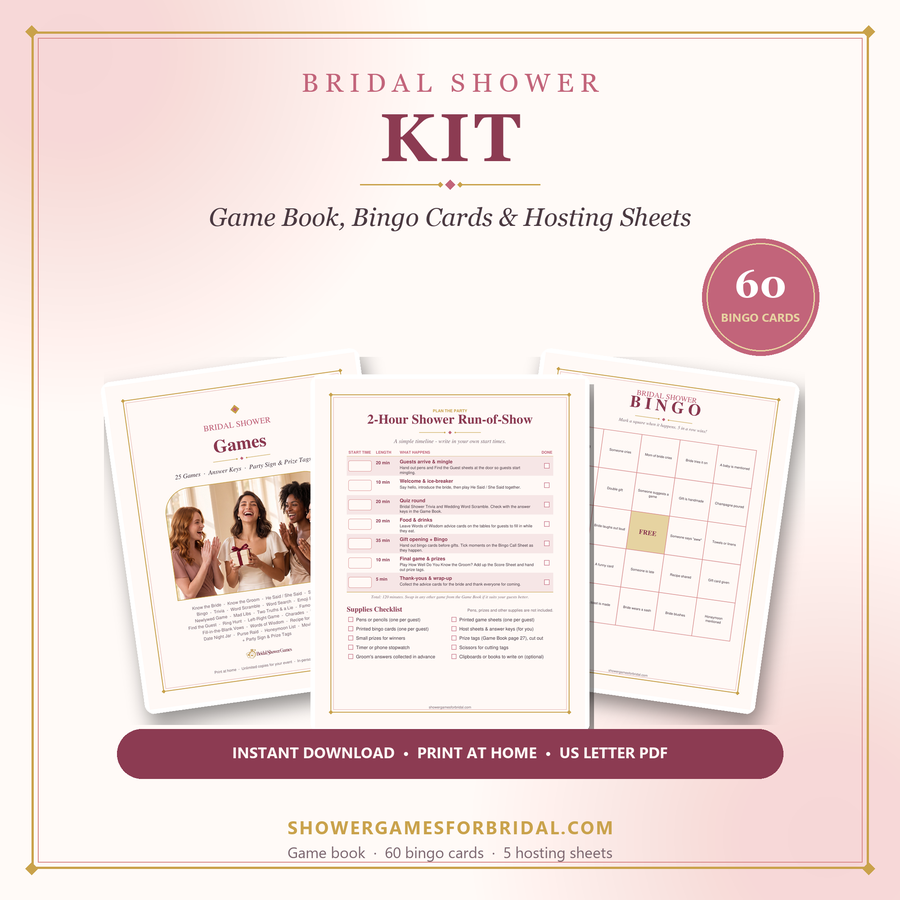
If you prefer designed paper activities, compare the paid packs below. Check each product page for its exact contents; not every browser activity has a matching printable.
For deeper planning help, see the guides on the main site: virtual & Zoom showers, funny games that aren't cheesy, games for large groups and co-ed & couples showers.