

Answer 41 shuffled multiple-choice wedding questions. The browser records one shared round score, with one point per correct answer.
How to play the browser version
Step 1
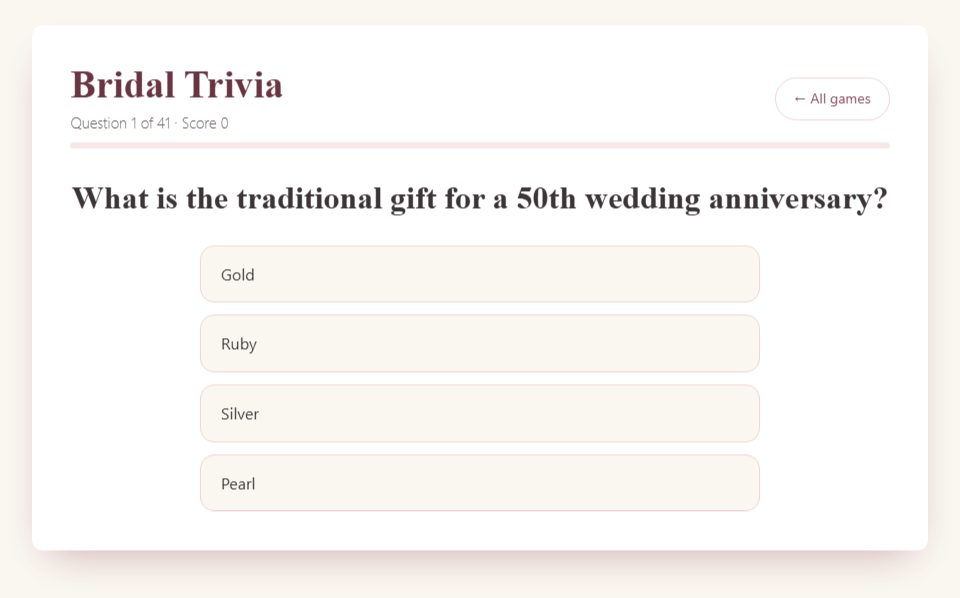
Open the quiz where players can read the question and four options. Decide whether one person answers or the group agrees on a choice.
Step 2
Read all options before tapping. The round is untimed, so the host can allow discussion.
Step 3
Choose one answer. It locks, the correct answer is shown, and the game advances automatically.
Step 4
Complete the deck to see the score and percentage. Separate team or individual totals must be recorded by the host.

Host tips and optional variations
For a table competition, ask every table to write its choice before the host submits one. Keep table scores on paper; the browser records only the submitted choice.
This is general wedding trivia, not a personalized answer key about the couple.
For a shorter session, agree on a stopping point and tally that shortened round yourself. The normal browser result follows the full deck.
Frequently asked questions
Can I add questions about the bride?
This quiz uses a fixed set. For her own answers, use How Well Do You Know the Bride instead.
Is there a live team leaderboard?
No. The game records one score on the playing device. A team version needs a separate host tally.
Choosing paper games
The browser games and paid PDF packs are separate formats. A guide on this page does not mean the same game is included in a pack. Check the printable contents and page previews before buying; the packs are digital downloads that you print yourself.
 Save to Pinterest
More game rules and guides
Decide what kind of trivia you want
Bridal trivia can mean two quite different activities. One asks general questions about weddings, anniversaries, and familiar wedding language. The other asks personal questions about the bride or couple. The free Bridal Trivia browser game uses general questions with multiple-choice answers. Guests do not need to know where the couple met, and the host does not need to collect private answers beforehand. That makes it a possible choice when relatives, coworkers, and friends are meeting for the first time.
Choose a personal quiz instead if your main aim is to hear stories about the couple. You can also run the general browser quiz first and ask two approved personal questions afterward on paper. Describe that second part as your own addition so guests understand that the questions and scoring have changed. Avoid promising that the browser game can import a personal question list; its question bank is fixed. A clear choice at the beginning saves the host from trying to turn a general-knowledge game into a couple interview halfway through.
Understand the browser round before guests arrive
The current game contains 41 questions. Each question offers four answers, and the question order and answer options are shuffled. A correct selection adds one point. An incorrect selection reveals the correct answer. Once an answer is selected, the choices lock and the game moves on automatically after a short pause. The final result appears after the full question set. There is no need for the host to prepare an answer key for this built-in version.
Try a few questions alone before the shower so you recognize the pace. The brief answer reveal matters: guests who are still discussing the previous question may miss it. If you plan to explain answers, wait for everyone to be ready before selecting an option, then summarize the answer after the next question appears. The browser does not include a separate presentation mode that holds every answer on screen until the host advances. Your hosting rhythm should account for that behavior rather than depending on a pause control that is not there.
Choose individual play or one shared answer
For individual play, guests can open the game on their own devices and complete it independently. Each device keeps its own running result. Because the order is shuffled, people may be answering different questions at the same moment. That is fine for a casual self-paced activity, but it is awkward if you want the whole room to discuss one question together. Set an ending point for the activity and invite guests to share their results voluntarily.
For a shared round, use one host device and read its question and four options aloud. A table or the entire room agrees on one answer, and the host selects it. The number on that screen belongs to those collective selections. It is not an automatic leaderboard for every guest in the room. If several teams compete, keep their scores separately on paper. Make this distinction explicit before starting: “The screen will show the game's answer. I will keep our table scores here.” That sentence prevents a surprising amount of confusion at the end.
Prepare a room where everyone can follow
Place the screen where people can read it without turning away from the host for the entire round. Test the display from the furthest seat, including the smaller option text. A screen that looks large from beside a laptop may be unreadable across a dining room. If the options are not clear, read them aloud using letters A through D and let the screen serve as a visual reference. Do not make seeing small text the challenge guests have to solve.
Have a simple backup: paper for team answers, a pen for the host, and a short list of general questions you have checked in advance. You do not need to recreate the entire browser bank. Five backup questions can cover a brief connection interruption or give you an orderly way to finish. Put drinks away from the host device and silence notifications before connecting a shared display. Open only the pages you need so a screen share does not expose unrelated messages or tabs while you are explaining the rules.
Explain the rules in less than a minute
A useful opening script is: “These are general wedding questions, so you don't need inside knowledge about the couple. Each question has four choices. Discuss quietly with your table, then write one letter. A correct answer earns one point. Once I call time, keep your answer as written. We will reveal the answer together.” This script describes a host-managed team adaptation; the browser itself only records the option selected on its own screen.
Add one sentence about ties and one about the length. For example: “We will play ten questions and share the prize if the top scores are tied.” A ten-question event round is your chosen stopping point, not the browser's completed game result. If you want the built-in final score, continue through all 41 questions. Giving both the rules and the ending condition upfront allows guests to relax. They can participate without wondering whether a short icebreaker is about to become a long competitive quiz that delays lunch.
Run a fair paper-scored team version
Give each table a numbered answer sheet with one line for every question you intend to play. Read the four options in order and allow the same discussion window for each table. Ask guests to stop writing before you select an answer on the host device. You can choose the room's majority response or use a consistent volunteer; either way, the app's score is incidental to the separate team competition. The revealed correct answer is what you use to award paper points.
For a relaxed shower, let tables mark their own sheets. For a more competitive group, have neighboring tables exchange sheets after the final question, provided everyone is comfortable with that format. Avoid collecting names beyond what you need for a team label. A table called “Window Seats” is easier to announce than six individual totals. Keep scoring visible and simple: one correct answer equals one point, with no surprise bonus for speed or elaborate explanation. A clear process is more useful than pretending the shared browser screen is tracking teams automatically.
Use a practice question without giving an advantage
Before the scored round, ask a neutral practice question you prepared separately. For example: “Which item would you normally sign to leave a written message for the couple: a guest book, a cake stand, a chair cover, or a place setting?” The answer is a guest book. Tell guests that this example does not count. Its purpose is to demonstrate how to discuss, write a letter, and stop before the answer reveal. It also lets you check whether everyone can hear.
Do not use a practice question to judge who will be good at the game. A guest may simply be finding a pen or settling a child. Once the procedure is clear, start everyone at zero. If someone arrives during the practice, they can join their table without needing a recap of several scored questions. If you use an actual browser question as practice instead, remember that the screen will still count the selected answer. Keep the event score separate or restart before beginning the scored portion.
Handle unfamiliar traditions respectfully
Wedding vocabulary and anniversary associations are not equally familiar to every guest. Treat the browser's key as the answer for this particular quiz, not as a statement that all weddings follow one tradition. You can introduce the game by saying that some questions draw on familiar conventions and that different families may do things differently. That framing is especially useful at a shower where guests come from several cultural backgrounds or have different experiences of marriage celebrations.
If an answer starts a conversation about another custom, allow a short contribution when the guest wants to share. Do not put someone on the spot as a representative of an entire community. You can say, “That's a different tradition; thank you for adding it,” and return to the round. If a question feels poorly suited to your gathering, exclude it from your manual event score for every team. Apply the decision consistently. A shower quiz should create conversation, not require guests to defend their families' practices against a multiple-choice answer.
Choose a length that suits the celebration
Playing all 41 questions is a different commitment from offering a five-minute icebreaker. The actual duration depends on reading speed, discussion, interruptions, and how much the host explains. Do not assume the number of questions alone guarantees a precise running time. Rehearse a small sample at the pace you expect to use, then choose whether the full game fits comfortably between other activities. Leave space for food, conversations, and whatever the guest of honor most wants from the gathering.
If you only have a short slot, announce a fixed number of questions and tally those manually. Five questions can serve as a quick transition; ten can support a more substantial table round. These are suggested hosting formats, not built-in modes or buttons. When time is tight, shorten the round rather than rushing the reading or cutting off every conversation abruptly. End on the agreed question, thank everyone, and move on. An incomplete browser bank is acceptable when the guests were told exactly how your event round would work.
Keep the guest of honor involved without making them the referee
The bride can join a team, read an occasional question, or watch and enjoy the discussion. Ask which role sounds pleasant beforehand. General trivia does not require the bride to supply correct answers, and they should not have to settle every scoring disagreement simply because the shower celebrates them. Assign one host to manage rules and totals. That lets the guest of honor participate on the same terms as everyone else.
If you want a personal moment, add a short invitation after the quiz: “Was there a question that reminded you of something you are planning?” Let the bride answer or pass. Avoid turning that opening into a series of demands about budgets, family disagreements, or wedding decisions that are still private. A general game can be a welcome break from planning. It does not need a personal disclosure attached to every answer to feel connected to the celebration. Let the wedding theme provide that connection and leave room for ordinary fun.
Make room for guests who prefer a quieter role
Offer table discussion instead of requiring every person to shout an answer alone. A quieter guest can suggest an option to a teammate, write the team's selection, or simply listen. Do not interpret a guest's silence as a problem the host must fix publicly. If you want teams to share roles, invite volunteers rather than announcing that everyone must take a turn speaking. The goal is a format people can enter comfortably.
Read the full question and all four options before accepting an answer. Guests who need a little longer to process spoken information should not lose their opportunity because someone interrupts after the first option. Keep background music low during the quiz and repeat wording when requested. If a guest uses a larger display or written copy for access, make that part of the setup rather than an exception announced to the room. These adjustments change how you present the questions; they do not require changes to the browser game or a different scoring system.
Adapt the quiz for a video call
Use a separate video-call service and share the host's game window. The Bridal Trivia page does not provide the meeting itself. Check that participants can read the question and options in the shared view, then read them aloud as well. Ask people to keep answers private until you call for them; otherwise, the first chat message can give the answer away to everyone. A simple method is to have guests write a letter on paper and hold it up together.
For a casual remote gathering, participants can keep their own paper totals. If you need an announced winner, ask them to report their final scores and explain that this is a friendly, self-reported round. Do not describe it as an automatically verified multiplayer competition. Pause if someone loses audio during a question, or omit that question from the shared competition when repeating it would reveal the answer. Keep the number of questions manageable so the event still has time for conversation with the guest of honor.
Decide how to handle mistakes before they matter
An accidental tap on the host device may select an answer before teams have finished. The browser locks the choice and advances; do not assume there is an undo button. In a paper-scored event, you can exclude the spoiled question from everyone's total and continue. If the error happened after teams had already written their answers, use the revealed key and score the sheets normally. The host screen's total may differ from the event totals, which is another reason to keep them separate.
If a table changes an answer after the reveal, refer calmly to the rule given at the start. You do not need a dramatic penalty. For a social shower, simply score the original written answer and continue. If your host notes are wrong, acknowledge the mistake and correct every affected team equally. Avoid inventing a new rule to protect an earlier announcement. Guests are more likely to understand a straightforward correction than a complicated explanation that changes the competition mid-round.
Choose prizes and tie rules that keep the finish simple
A small prize, a shared treat, or a round of applause is enough if you want to recognize the top score. Choose something easy to distribute and suitable for the group. A large team prize can be awkward if it cannot be shared, so consider whether every team member receives a small item or whether the team agrees how to use it. You do not need to buy a separate prize for every game on the schedule.
The simplest tie rule is to recognize all joint winners. If you prefer a tiebreaker, prepare one additional general question with an unambiguous checked answer before the event and explain the rule upfront. Use the same question for all tied teams and collect answers simultaneously. Avoid a surprise personal question that favors the bride's oldest friends after a general-knowledge competition. The finish should feel like the natural end of the rules people agreed to, not a new contest created because the host has only one gift bag.
Create a paper alternative honestly
You can write your own short wedding quiz in a document, print it, and provide a separate answer sheet. This is a host-made resource, not a downloadable copy of the browser interface. Use questions whose answers you can check confidently, keep the wording clear, and make sure each multiple-choice question has one intended correct option. Read the finished sheet as if you had never seen it before. A missing word or two equally plausible options can create more confusion than a difficult question.
Print one test copy before producing the full set. Check the font size, answer spaces, and whether the answer key accidentally appears on the guest page. If you choose a paid printable product instead, review its stated contents and format before buying; a browser game link does not itself promise a matching free PDF. Keep the distinction visible in your planning notes. You can host a good round with a handwritten sheet, a free browser game, or purchased files, but each option requires different preparation.
Close the round and move naturally into the shower
After the final question, give guests a moment to total their scores, announce the agreed result, and thank the person who helped keep the count. You can invite one favorite question or surprising answer without reviewing every item again. Then explain the next activity clearly: food is ready, gifts will begin shortly, or everyone has time to mingle. A definite ending helps the quiz feel like one enjoyable part of the gathering rather than the event's entire purpose.
Before putting the device away, make any personal note you need about the result; do not promise guests that a completed score will be available later across devices. Close shared screens before opening other apps. If someone wants to play independently afterward, point them to the game page and explain that their shuffled round may look different from the host's. The practical success measure is straightforward: guests understood the rules, could follow the questions, and knew when the round was finished. That is a stronger foundation than adding extra rules or stretching the quiz beyond the time you have.
Keep the host's score sheet with the event supplies until prizes are distributed. That gives you one clear reference if a guest asks about a total during the transition, without needing to reconstruct the entire game aloud.