

The pretend-wedding challenge
Give each team 100 imaginary points. Choose a venue: garden 20, hall 35 or beach 40. Choose food: picnic 15, buffet 25 or sit-down meal 35. Add music 10, flowers 10 and photography 15 if you want them. Teams have ten minutes to stay within budget and explain their plan. These are invented game points, not real prices. Vote for a creative detail, clearest plan or best use of the fictional budget.
Decide what the pretend wedding is about
A pretend wedding planning game works best when everybody understands that the group is inventing a celebration, not giving unsolicited advice about the real couple’s wedding. The fictional event can be a garden picnic for two imaginary characters, a tiny celebration on a space station, or a relaxed party for a couple whose only request is good food. Choose that frame before discussing flowers, dresses or budgets. Otherwise a playful exercise can drift into comparing someone’s actual plans, income or family expectations.
Give the fictional couple three preferences that will guide decisions. For example: they want guests to talk easily, they enjoy being outdoors, and they dislike a packed schedule. Those preferences make choices meaningful. A garden venue might fit the outdoor preference, but the team still needs a weather alternative. A quieter music choice might support conversation. Players can disagree about the answer while agreeing on what problem they are solving. That is more useful than choosing the most expensive option simply because it sounds impressive.
Write one boundary on the shared page: all prices, people and bookings are imaginary. Do not ask participants to visit checkout pages or provide payment details. There is no need to browse real vendors during the round. The activity described here uses your video call, a note-taking document and a host; it is not a wedding simulator or booking service. If someone wants real planning advice afterward, keep that separate from the invented game.
Prepare a small host kit
The host needs a way to speak to everyone, a visible list of choices, a timer and somewhere to record each team’s final plan. In a video call, the choices can be one shared slide or a message pasted into chat. Around a table, one handwritten sheet is enough. A document is convenient but not essential: the host can read the choices aloud while each team keeps its own notes. Check that everyone can see or hear the same information before timing starts.
Prepare a team worksheet with six labels: fictional couple, priorities, venue, food, extras and total. Add a final line for the team’s reason. That last line prevents the activity becoming an arithmetic exercise with no story. The reason can be one sentence, such as, “We chose a picnic because our couple wants guests to move between small groups.” Teams do not need a polished presentation, wedding logo or completed seating chart. The challenge is to make a coherent decision within a small set of constraints.
For a call with people using phones, avoid asking them to edit a complicated spreadsheet while watching the video. A designated recorder can type for the team. Other members can contribute through speech or chat, and someone who prefers listening can check the final total. If a breakout-room feature is available, test how to send and recall groups. If it is unfamiliar, keep everyone in the main call and let teams take short turns discussing their options while the others listen.
Use the fictional budget consistently
The example on this page gives each team 100 imaginary points. Venue choices cost 20 for a garden, 35 for a hall or 40 for a beach. Food choices cost 15 for a picnic, 25 for a buffet or 35 for a sit-down meal. Music costs 10, flowers cost 10 and photography costs 15. These numbers are a game menu, not estimates of what a wedding costs. Do not convert them into dollars or suggest that the relationships between them reflect a real market.
Decide whether venue and food are compulsory before the round. A straightforward version requires one of each and allows any combination of extras. Teams may not choose two venues and call one free, split a category into an unlisted discount, or negotiate a new price halfway through. If you want creative substitutions, add that permission to the rules first. For example, allow one free invented detail that has no effect on the listed categories, such as handwritten place names or a welcome message.
Unused points are allowed unless the host states otherwise. Spending exactly 100 is not inherently better than spending 85. A team should be able to explain what it left out and why. This gives quieter players a useful decision to defend: a simple plan can be intentional. It also prevents teams from adding extras merely to fill the budget. The host can recognize a clear trade-off without pretending that imaginary savings prove real financial skill.
Worked plan: the conversation-first garden
Choose the garden for 20 and the buffet for 25. Add music for 10 and photography for 15, but leave out flowers. The total is 70, leaving 30 points unused. The team’s explanation might be that guests can choose food at their own pace, the couple wants photographs with visiting relatives, and the garden itself provides the setting. A free invented detail could be a table with conversation prompts. The omitted flowers are a choice within the game, not a claim that flowers are unnecessary at actual weddings.
Worked plan: the formal hall
Choose the hall for 35 and the sit-down meal for 35. Add flowers for 10 and photography for 15. The total is 95. There are only five points left, so the listed 10-point music option does not fit. The team can leave music out, change the food choice to a buffet, or change another category. Ask them to choose one revision rather than quietly treating five points as ten. This example creates a clear moment for the group to discuss which preference matters most.
Worked plan: the beach gathering
Choose the beach for 40 and picnic food for 15, then add all three extras for 35. The total is 90. The team has ten points left and can keep them unspent. Their story might emphasize a short ceremony followed by an informal meal and photographs. Ask for a weather backup described in words; do not surprise them with a new fee unless contingency costs were part of the published rules. An invented setting still needs internal consistency, but the host should not keep moving the goalposts.
Give a clear opening explanation
A host can say: “We are planning a completely imaginary wedding. Your team has 100 game points and this menu of choices. Pick one venue, one food option and any extras you want. You have ten minutes. At the end, tell us your total and one reason your plan suits the fictional couple. Nobody is booking anything, and there is no right style of wedding.” Pause after the explanation and invite questions before starting the timer.
Demonstrate one calculation without designing the entire event for them. “A garden and picnic would use 35 points, so 65 remain for choices or savings.” Showing a simple sum helps participants understand the units and prevents a team from assuming 100 means 100 guests. Keep this demonstration separate from the worked examples if you want teams to invent their own combinations. They need enough structure to begin, not a model answer they feel obliged to imitate.
Finish the briefing with how presentations and recognition will work. Tell teams whether they will have one minute each, whether every member must speak, and whether there is a vote. Participation should not depend on public speaking. A recorder can read the plan for the team, a member can post it in chat, or the host can read it with permission. Mention that the funniest presentation is not automatically the winning one, especially if your stated category is clarity or meeting the couple’s preferences.

Run the ten-minute planning round
During the first two minutes, ask teams to agree on their fictional couple’s priorities. One person can read the brief aloud while another notes the decisions. Encourage them to choose a venue and food option before debating decorative details. Without that order, groups can spend most of the round inventing a theme and discover that nobody has checked the budget. The host should circulate only to answer rule questions, not steer everyone toward the same combination.
Around the halfway point, announce how much time remains and remind teams to calculate a draft total. A useful prompt is, “Check that your plan has a venue, food and a reason.” This is more helpful than repeatedly announcing urgency. If one team has finished, invite them to consider a backup for one predictable complication or improve their explanation. Do not give them extra points or additional menu options unavailable to teams still working.
With two minutes left, ask recorders to finalize the total and choose a presenter. At the end, allow a short arithmetic correction if the problem is a copying mistake rather than an attempt to redesign everything. If the aim is social conversation rather than competition, teams can openly revise an over-budget plan during their presentation. If you want stricter scoring, explain the correction rule beforehand. Either approach can work; fairness comes from applying the chosen rule consistently.
Make judging simple and transparent
Choose no more than a few recognition categories. “Clearest plan,” “most thoughtful use of the brief” and “favorite creative detail” reward different kinds of contribution. The first can recognize a concise explanation with correct arithmetic. The second can recognize a team that connects choices to the fictional couple’s preferences. The third can recognize a distinctive addition that does not change the budget. Avoid categories that quietly reward spending the most or making the real couple look more fashionable.
For a simple score, the host can assign one point for a valid total, one for including the required categories and one for explaining how a choice meets a preference. That creates a three-point checklist rather than a vague judgment of taste. More than one team can receive all three points. If participants vote for a creative detail, announce whether they may vote for their own team. For small groups, it may be easier to recognize every team’s strongest decision without producing a ranking.
A tie does not require another challenge. You can name joint winners or invite tied teams to explain their unused points. If a tiebreaker is wanted, use a question connected to the task: “What would you simplify if the planning time were cut in half?” Judge the explanation under a stated criterion rather than choosing whichever answer makes the host laugh. Keep any physical prizes optional and arrange enough for the form of recognition you selected.
Add a twist without breaking the rules
A twist is an extra constraint announced before a second round, not a hidden penalty imposed after teams have finished. You might tell teams that the fictional couple wants a quiet meal, that every guest must be able to participate from a seat, or that the celebration should include a meaningful welcome for someone meeting the family for the first time. These constraints create planning decisions without pretending to give professional event advice. Let teams keep the same point menu unless you clearly publish a revised one.
A weather twist can ask teams to explain how their chosen celebration would continue if the outdoor part could not happen. They do not need real venue contracts or local forecasts. The answer might be to move the imagined ceremony into the hall, shorten the outdoor scene in their story, or choose an indoor venue in a new round. If changing venues affects the total, recalculate it. If the exercise asks only for a narrative backup, say so before anyone starts negotiating imaginary refunds.
A guest-experience twist can ask for one way to make introductions easier. Teams might add name cards with a shared-interest prompt, a greeting pair at the entrance, or a short explanation of the schedule. These details are free narrative choices in this version; they should not become an excuse to invent unlimited free catering or photography. Distinguish an extra sentence of planning from replacing a priced category. The host’s role is to keep that distinction understandable, not to police every imaginative detail.
Adapt the format to the group
With three or four people, work as one planning committee instead of forcing teams of one. Give each person a temporary responsibility: one watches the budget, another listens for the couple’s priorities, another suggests details, and another summarizes. Rotate those roles for a second brief if everyone wants another round. A cooperative plan removes the need for votes and is useful when the call is meant to feel like a relaxed conversation rather than a competition.
For a larger call, use a small number of teams and a short presentation limit. Twenty individual presentations would take attention away from the planning activity itself. Ask every team to submit its total and final choices in the same order so listeners can follow. If several teams choose identical combinations, focus on their different reasons rather than treating overlap as a failure. The limited menu intentionally creates comparable choices; originality can come from the explanation and guest experience, not just from a unique total.
For guests joining by telephone or using a small screen, read the menu aloud and let them ask for a category again. A teammate can record choices without requiring everyone to open another application. For a mixed in-person and remote group, place a microphone where remote participants can hear the discussion and name a person who will bring their suggestions into the room. Do not make the remote person responsible for guessing what is happening around an off-camera table.
Handle common problems calmly
If one person dominates the choices, interrupt the process rather than criticizing the person. Say, “Before we settle on the venue, let us hear one preference from everybody.” You can also invite silent suggestions into chat and ask the recorder to read them together. The budget role should be a checking role, not a veto over every creative contribution. Remind teams that their final plan needs a reason shared by the group, not the most detailed argument from one member.
If a team is over budget, ask them to identify one trade-off. A hall with a sit-down meal and every extra costs 105 points, so removing flowers or music would bring it within the limit. Let players do the calculation and choose the change themselves. This is a useful worked problem because the mistake is small and visible. Do not turn it into a lesson about real wedding affordability or tease a participant about how they handle money outside the game.
If the call connection fails, leave the menu in chat and pause the timed portion while the missing person reconnects. If recovery takes too long, ask the remaining team to prepare a draft and let the returning member choose one detail. A video-call game should not become a test of internet quality. The entire plan can also be read aloud over audio, so keeping a text copy of the brief is a more practical backup than relying on a complex animated slide.
Use a ready-to-copy planning sheet
Start a blank document with these lines: “Our fictional couple”; “Their three priorities”; “Venue and points”; “Food and points”; “Extras and points”; “Total used”; “Points remaining”; and “Why this plan fits.” Give each team its own copy or ask the recorder to paste those labels into a message. The worksheet is text you can copy yourself, not a downloadable product attached to this article. There is no automatic calculation, saving or submission unless you add those functions in your own document tool.
Under the worksheet, add a short final-check question: “Could another team understand our plan from this page alone?” That prompts players to label vague choices such as “the nice place” or “good food.” Ask for the listed category name beside any creative description. “Moonlit garden ceremony: garden, 20 points” keeps the story and arithmetic connected. It also helps the host verify the budget without interrupting the presentation to ask which venue price the team meant.
Before ending, invite each participant to name one detail they enjoyed from another team’s plan. Keep this reflection optional and brief. It lets a group finish on shared appreciation even when there were winners. The pretend plans can be saved as a lighthearted souvenir if everyone wants, but they should not be sent to real vendors or presented as agreed instructions for the actual wedding. Close by thanking the recorders and presenters, then move to the next part of the shower.
Keep the imaginary plan separate from real expectations
Sometimes a guest suggests a detail that the engaged couple actually likes. It is fine to enjoy that coincidence without treating it as a decision. The host can say, “That is a lovely idea for our imaginary event; today we are leaving the real arrangements with the couple.” This protects the game from becoming a public planning meeting. Guests may not know the venue restrictions, commitments or private preferences behind the actual wedding, and the couple should not have to explain those during a shower.
Similarly, avoid using the point system to criticize a real celebration. An inexpensive fictional garden is simply a twenty-point option on this menu. It does not demonstrate that an outdoor venue is cheaper, easier or more welcoming in real life. If players start comparing actual quotes, bring them back to the stated fictional priorities. The imaginative part is deciding what kind of experience the invented people want, not proving whose real-world spending choice is best.
Before sharing screenshots of team plans outside the call, ask whether everyone is comfortable with that. A joke can read differently without its spoken explanation. Keep any saved plan labeled as a party activity so a relative who was not present does not mistake it for a wedding announcement or a request for contributions.
Optional paid printable packs
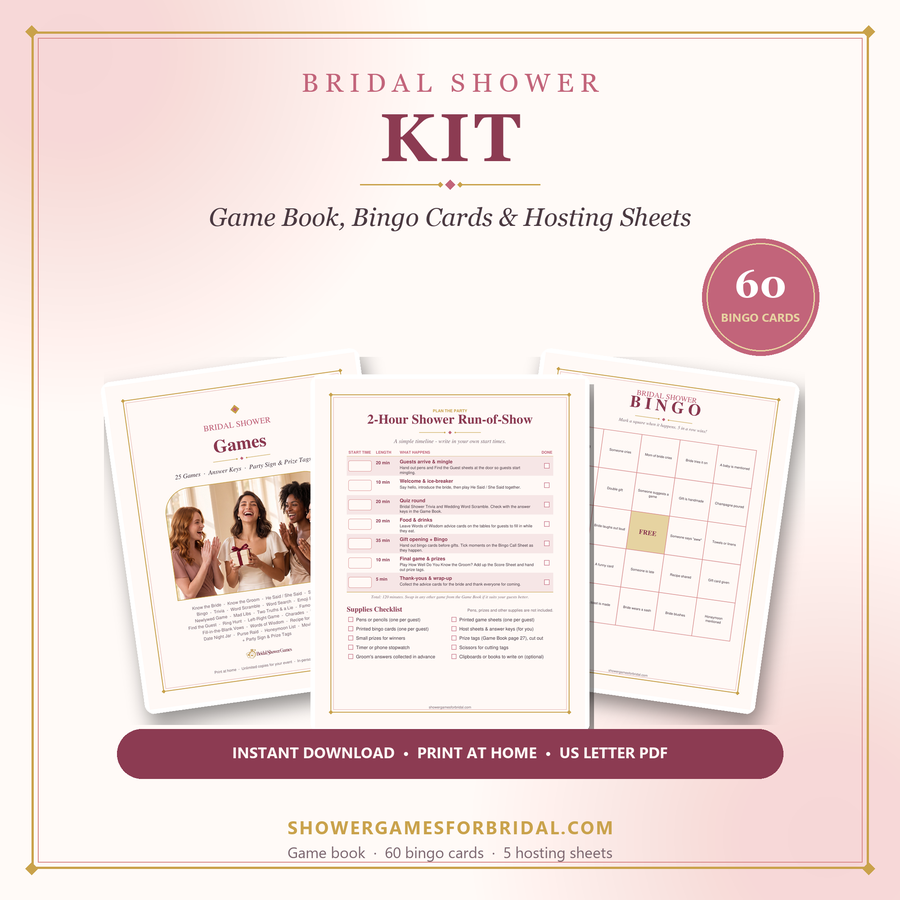
If you prefer designed paper activities, compare the paid packs below. Check each product page for its exact contents; not every browser activity has a matching printable.
For deeper planning help, see the guides on the main site: virtual & Zoom showers, funny games that aren't cheesy, games for large groups and co-ed & couples showers.