

Copy-and-print score sheet
Name: __________. Award 1 point each: a clock app; a photo of a pet; a saved recipe. Award 2 points each: a photo taken outdoors; a song saved for offline listening; a calendar reminder. Award 3 points each: a photo of a flower; a screenshot of a travel plan. Total: ____ out of 15. One score per item. Allow five minutes. Guests can pass or join a partner; no proof or screen sharing is required.
What you are printing
This page gives you a text score sheet that you can copy into a document, arrange on a page and print yourself. There is no hidden download button to find and no account to create. The short sheet above is enough for a small round. The longer guidance below helps you choose prompts, check the arithmetic, explain the rules and adapt the activity when some guests do not want to use a phone.
Think of the sheet as a checklist, not a request to inspect somebody’s device. Guests read each line, decide whether it applies to their own phone and mark the points. The host reads the instructions and collects totals. A guest can say, “That one applies to me,” without opening a photo, identifying a contact or explaining a private reminder. Keeping that distinction clear makes the activity much easier to introduce to a mixed group.
You can change the wording before printing because you are working in your own document. That does not mean the paid PDF packs in the shop are editable. Those are separate fixed designs with their own contents. This DIY sheet stands on its own and does not require a purchase.
Start with a small, clear score sheet
Put the activity name at the top, followed by a line for a guest or team name. Under that, place the eight prompts from the short template, each on its own line. Leave a small box for points earned. Finish with a total line and the instruction, “Check your own phone. You may pass on any item. No screen sharing or proof is needed.” This is more useful than filling every corner with decorative text.
The sample has three one-point items, three two-point items and two three-point items. Its maximum is fifteen: three plus six plus six. Write that maximum on the sheet so players can check their totals. If you add or remove a prompt, recalculate the maximum before making copies. A sheet that says “out of fifteen” but contains twenty possible points creates an avoidable scoring dispute.
Keep the score column wide enough to write a single digit. You do not need space for guests to describe the contents of their phone. A line for “points earned” is preferable to a line asking what the recipe, reminder or photograph actually contains. The game needs a yes-or-no response, not a collection of personal information.
Choose prompts that do not require an explanation
A good phone prompt is easy to understand, reasonably quick to check and comfortable to decline. “A photo of a flower” works because the guest can recognize one without telling a story. “A saved recipe” also works if you define saved broadly enough to include a note, screenshot or bookmark. The purpose is to notice everyday things people keep, rather than reward a particular brand of phone or app.
Avoid prompts about recent messages, relationship history, financial balances, contact names, medical information or deleted pictures. Even if you plan to accept a verbal answer, the wording can make someone feel that they are expected to disclose more. A bridal shower includes people with different relationships to the host; a question that sounds harmless among three close friends can feel intrusive at a larger table.
Do not assume that everybody uses music subscriptions, social media or cloud storage. If you keep a prompt such as “a song saved for offline listening,” let it be one optional scoring opportunity rather than a requirement for participation. Alternatively, replace it with “a note you wrote yourself.” Choose the final wording before printing so every player has the same interpretation.
Make the points serve the game
Point values are house rules, not measurements of how unusual a phone item is. You do not need to claim that a flower photograph is rarer than a pet photograph. The one-, two- and three-point groups simply make the total a little more varied. Tell guests that the values are fixed for this round and do not change when somebody argues that their example is especially impressive.
Use one award per prompt. Five pet photos still earn the points for one pet-photo item. Otherwise, the game becomes a search through thousands of files and guests with older phones or larger collections gain an unrelated advantage. A short checklist works best when people can complete each line once and move on.
Decide whether one image can satisfy more than one prompt. A photograph of a dog sitting beside a flower outdoors could qualify for pet, flower and outdoor-photo lines. Allowing that is simple and keeps the activity light. Requiring separate images is also possible, but it adds another rule. Whichever you choose, put it in the opening explanation and use it consistently rather than deciding after someone has a high score.
A worked scoring example
Imagine that Alex marks the clock app, a pet photo and a saved recipe. Those three one-point items give Alex three points. Alex also marks an outdoor photo and a calendar reminder, earning four more points, but does not have an offline song. A flower photo adds three points, while the travel-plan screenshot is left blank. Alex’s total is ten out of fifteen.
Jordan marks the clock app and saved recipe for two points. Jordan then marks all three two-point items for six points. Neither three-point item applies, so the final total is eight. Alex has six checked lines and ten points; Jordan has five checked lines and eight points. Add the printed values instead of simply counting ticks. Reading this example before the party helps the host explain why counting ticks alone is not enough.
If someone reaches sixteen on the unchanged fifteen-point sheet, ask them to add the column again. Do not ask to see their phone as a way of checking the arithmetic. A partner can help add the numbers while leaving the underlying responses private. For a casual party, accepting an honest correction is usually all that is needed.
Copy, format and print without making a PDF
Open a document editor you already know and paste the title, instructions and prompts. Use a simple font with enough contrast against the paper. Arrange the prompts as a two-column table if that makes the score boxes easier to line up. The first column contains the prompt and printed value; the second contains the points the guest earned. Keep the rules in ordinary text rather than placing them inside a decorative image.
Print one test copy at the size you intend to use. Read it at a normal table distance and check whether there is room for a name and total. If you put two sheets on a page, make sure the smaller type is still comfortable. A full-page sheet is a sensible choice when guests would benefit from larger print, and saving paper is not worth making the activity difficult to read.
If you want a PDF for your own printing workflow, export your finished document. That export is a file you created from the text; it is not a downloadable product supplied by this page. Keep an editable copy of your document as well, so you can correct a typo or replace a prompt without starting again.

Prepare a phone-free way to join
Some guests may not have a phone with them, may have a flat battery or may prefer to leave it in their bag. Announce an alternative at the same time as the main rules. For example, a guest can partner with someone who is happy to play, help add a table’s totals or simply watch. They should not need to explain the reason for choosing that option.
If you expect several people to play in pairs, make the whole activity a paired round. Each pair uses one agreed phone and submits one sheet. Do not combine the contents of two devices unless that is the rule for every team; otherwise paired players have twice as many opportunities to find an item. One device per team is easy to understand and keeps the scoring comparable.
Another option is to run the checklist without prizes and invite people to mark whatever applies from memory. That changes the activity from a competition into a conversation starter, which may suit the group better. State the change clearly. You are not trying to recreate a strict contest when the purpose of the shower is to spend time together.
Introduce the round in under a minute
You might say: “We are doing a short phone checklist. Keep your phone in your own hands. Read each line, mark the printed points if it applies and leave it blank if it does not. You do not have to show a picture or explain anything. A pass is always fine. One example can count for more than one line today, and each line scores only once.”
Then demonstrate the arithmetic rather than demonstrating somebody’s screen. Say, “If you have a clock app, put one in the points box. At the end, add the points, not just the number of ticks. The highest possible score on this sheet is fifteen.” Show where the total line is and tell guests how much time you are allowing.
Give people a chance to ask about wording before the clock begins. Questions such as whether a screenshot counts as a saved recipe are legitimate, not attempts to slow the game. A short clarification now prevents several different interpretations across the room. If you change a definition, repeat it to everyone, including guests seated farther away.
Run a five-minute search without rushing anyone
Five minutes is a suggested search window for the short sheet, not a promise about how quickly every person can navigate their phone. Allow extra time to distribute papers, explain the rules and add totals. If the room needs a slower pace, reduce the number of prompts or play without a timer. The activity should fit the guests rather than test how quickly they can scroll.
During the round, answer questions about the printed words but avoid looking over shoulders. If somebody asks how to find an app or photo, offer verbal help and let them control their own device. Do not take the phone as the default way of helping. A guest may decide that skipping one point is more comfortable than searching for it, and that is a perfectly valid choice.
Give a gentle closing announcement: “Finish the line you are on, then add your points.” That is easier to follow than abruptly calling time while people are opening personal folders. Allow a separate moment for addition. A search deadline and a total deadline are different, especially when someone wants a partner to check the arithmetic.
Decide what happens when scores tie
On a fifteen-point checklist, tied scores are entirely possible. Prepare for that before buying or setting aside a prize. The simplest approach is to recognize joint winners. If you prefer one prize, explain in advance that tied leaders will draw a name from a cup or answer a separate, light question with the same opportunity for everyone.
Avoid using battery percentage, unread-message count or the newest phone model as a surprise tiebreaker. Those choices shift the contest toward personal habits, device cost or circumstances unrelated to the sheet. A random draw is clearer than inventing a supposedly clever rule after the scores are known. It also lets you finish on time without another round of phone searching.
You can keep the reward modest and the announcement brief: “We have three players on twelve points, so today they share the win.” Do not make a low score into a joke about someone’s age or technical ability. The score says only which of these particular prompts applied at that moment. It does not measure how interesting, organized or sociable a guest is.
Turn one answer into a voluntary conversation
After scoring, you can invite a story without requiring one. Ask, “Would anyone like to recommend a recipe they have saved?” rather than “Everyone who scored that line must tell us what it was.” The first version gives guests control over what they share. It also lets someone contribute a recipe from memory even if they did not earn that point.
Choose one or two topics rather than reviewing every phone item aloud. A long explanation of each photograph can turn a quick checklist into an extended show-and-tell. If a story is developing naturally and the group is interested, you can let it continue; if not, close the game and return to food or conversation. The sheet does not need a formal debrief to have served its purpose.
Do not photograph completed sheets by default. Names and scores may be innocuous, but guests agreed to play a party game, not necessarily to have their participation posted. If you want a photograph of the activity, capture blank sheets or the table setup, or ask the people involved first. The couple can remember the occasion without retaining every score.
Adapt the sheet for a video call
For remote play, send the text before the event and offer two options: print it or copy the prompt numbers onto ordinary paper. People should not need a printer to take part. Read the rules aloud at the start, because a message sent earlier can be missed. Tell guests to keep their phone screens private and share only their final total if they wish.
Many people join a call on the same phone they would otherwise search. They cannot comfortably inspect photographs while keeping the meeting visible. Let those guests play from memory, pair with someone in their household or sit out the search while remaining in the conversation. Do not assume that everybody has a second device. This is a practical reason to keep the activity optional on a call.
Collect totals by voice or meeting chat, using whichever method you announced. This page does not gather remote scores or connect to a video platform. A host can write the totals on a separate sheet. If the call is running late, skip the prize calculation and invite one voluntary recipe or outdoor-photo story instead of extending the event to finish the contest.
Make a themed variation without invading privacy
A garden-themed sheet could use broad items such as a plant photograph, an outdoor calendar reminder or a recipe containing herbs. A travel-themed version could ask about a saved packing list or a picture of a landmark. Write prompts that can be answered without showing addresses, booking numbers, tickets or travel dates. The theme should change the atmosphere, not the amount of personal information requested.
For a food-focused shower, consider a saved recipe, a picture of a homemade dish or a note containing a shopping ingredient. Accept different ways of saving information. One guest may use a notes app, another may bookmark a page and another may keep a screenshot. Requiring a named app makes the game about software preferences rather than the theme you intended.
After writing a variation, read every line as someone who has just met the group. Would that person understand the words? Could they decline without attracting attention? Does the prompt assume a purchase or subscription? Revise any line that depends on an explanation you would be uncomfortable giving aloud. Then recalculate the points and print the maximum beside the total.
Check the sheet with a co-host
Ask a co-host to play through the sheet using only the written rules. Do not explain a line until they tell you how they interpreted it. That reveals ambiguities you may have stopped noticing while writing. If “saved recipe” produces a question, add a short definition. If the total box is missed, make it more prominent. Testing the document is about clarity, not proving that the activity will please every guest.
Have the co-host add a deliberately mixed score. For example, mark one one-point item, two two-point items and one three-point item; the total should be eight. Check the maximum separately. Look for duplicated prompts that accidentally reward the same category twice unless you intended that overlap. Also make sure you have not left an old point value in the introductory instructions after editing the list.
Finally, test the actual printed page rather than only the document on a bright monitor. Check ink contrast, margins and the space for handwriting. Keep the original file somewhere you can find it, but you do not need to bring a laptop to run the paper version. A few spare blank sheets and pens are more useful at the table.
A practical packing and cleanup plan
Put the printed sheets, pens and a copy of the host instructions together before the shower. Keep a few spare sheets for late arrivals, mistaken totals or a guest who wants larger writing space. If you are using pairs, label that rule on the host copy so it does not change accidentally when another person introduces the activity. Add a note about your chosen tiebreaker beside the scoring example.
After the round, let guests keep their sheet or place it in a recycling pile. You do not need to collect the papers to establish a permanent result. If the couple would rather receive something to keep, follow this activity with a separate advice card, where people knowingly write a message intended for the couple. A score sheet and a keepsake serve different purposes and should not be confused.
The finished activity can stay simple: a readable page, a comfortable invitation, a short search and an uncomplicated result. If the room would prefer a screen-based puzzle, choose a free browser game instead. If you want coordinated printed designs, inspect the paid pack previews for exact inclusions. Neither choice changes the fact that this copy-and-print phone checklist is available here as free text.
Optional paid printable packs
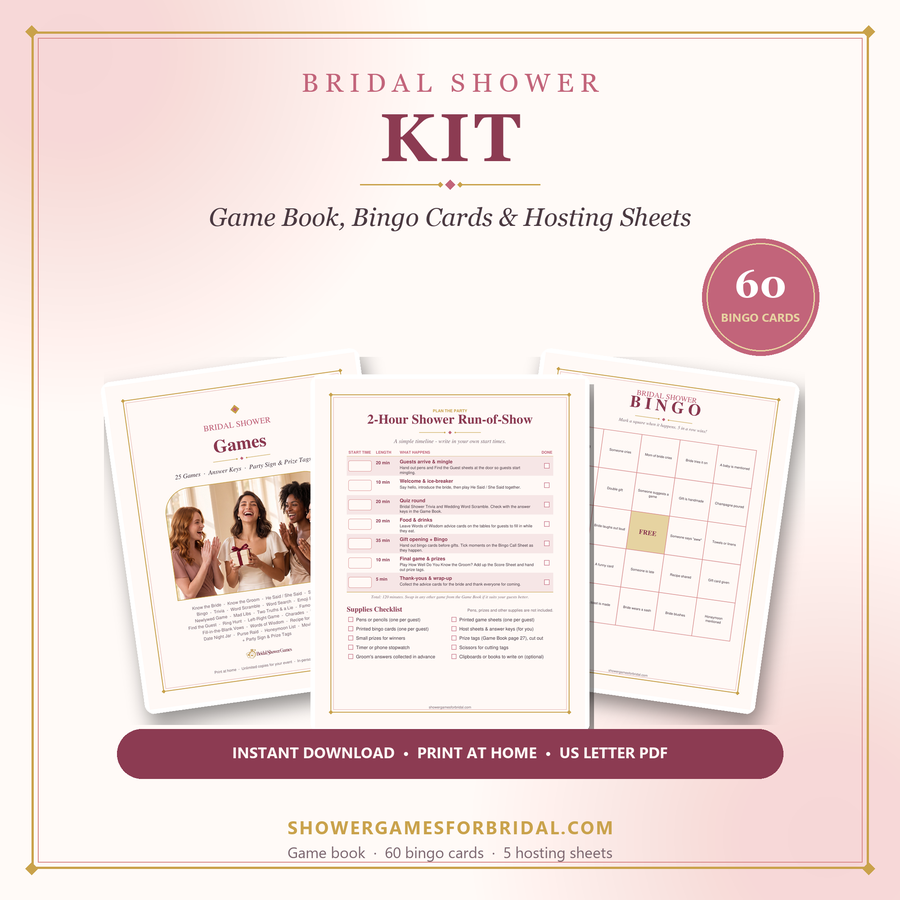
If you prefer designed paper activities, compare the paid packs below. Check each product page for its exact contents; not every browser activity has a matching printable.
For deeper planning help, see the guides on the main site: virtual & Zoom showers, funny games that aren't cheesy, games for large groups and co-ed & couples showers.